Smart Home Maintenance Checklist
*We may earn a commission for purchases made using our links. Please see our disclosure to learn more.
Smart Home Maintenance Checklist: Essential Upkeep for Every Season
Your smart home devices need regular maintenance to work properly and stay secure here is a full smart home maintenance checklist. Just like your car needs oil changes, your connected devices require consistent attention to prevent failures and security problems.
A smart home maintenance checklist helps you keep all your devices running smoothly by organizing tasks into monthly, seasonal, and yearly activities that cover firmware updates, battery checks, sensor testing, network performance, and security reviews. Without a clear plan, it’s easy to overlook critical maintenance that could leave your home vulnerable or cause devices to stop working when you need them most.
I’ve organized this guide to cover the basics of smart home system maintenance, from daily monitoring to specialized seasonal tasks. You’ll learn how to maintain each type of device in your home, when to perform specific checks, and how to spot problems before they become expensive repairs. The goal is to create a simple routine that protects your investment and keeps your smart home reliable.
Smart Home Maintenance Checklist Fundamentals
Smart home maintenance requires understanding your connected devices, how they work together, and why consistent upkeep protects your investment. Each device in your network serves a specific purpose and needs different care to function reliably.
Understanding Smart Home Systems
A smart home system connects multiple devices through a central hub or network that lets them communicate with each other. Your system might include a dedicated hub like Samsung SmartThings or Amazon Echo, or it might work through your home WiFi router.
These systems use different communication protocols. WiFi connects most devices directly to your internet network. Zigbee and Z-Wave create separate mesh networks that use less power. Bluetooth works for nearby devices. Thread is a newer protocol that improves reliability.
I recommend checking which protocols your devices use. This helps me understand why some devices drain batteries faster than others. WiFi devices need more power but work from anywhere in your home. Zigbee and Z-Wave devices last longer on batteries but need to stay within range of the hub.
Your system’s architecture matters for smart home maintenance. Hub-based systems require keeping one central device updated. Cloud-based systems depend on your internet connection and the manufacturer’s servers.
Key Smart Home Devices and Their Roles
Different devices handle specific tasks in your connected home. Smart locks control who enters your home and track access times. Smart cameras monitor indoor and outdoor areas. Smart thermostats manage heating and cooling based on schedules or occupancy.
Motion sensors and door sensors detect movement and openings. Smart lights adjust brightness and color. Voice assistants process commands and control other devices. Smart plugs add connectivity to regular appliances.
| Device Type | Primary Function | Maintenance Priority |
|---|---|---|
| Smart Locks | Access control | High – affects security |
| Cameras | Surveillance | High – lens cleaning critical |
| Sensors | Detection | Medium – battery dependent |
| Lights | Illumination | Low – firmware updates |
| Plugs | Power control | Low – minimal upkeep |
Each device type needs different attention. Cameras require lens cleaning monthly. Locks need battery checks. Sensors stop working when batteries die. Understanding these smart home devices helps me prioritize what to check first.
Why Regular Smart Home Maintenance Matters
Regular maintenance prevents device failures that compromise your home’s security and convenience. A smart lock with dead batteries locks me out. A camera with a dirty lens misses important events. Outdated firmware creates security vulnerabilities that hackers exploit.
I’ve learned that consistent maintenance saves money long-term. Devices last longer when I keep them updated and clean. Network problems get worse when I ignore them. Small issues become expensive repairs.
Security risks increase without updates. Manufacturers release patches to fix vulnerabilities. Skipping these updates leaves my network exposed. Checking home maintenance tasks monthly catches problems before they become serious.
Performance degrades gradually. WiFi signal strength changes as I add devices. Battery levels drop slowly until devices stop responding. Monthly checks keep everything running smoothly instead of waiting for failures.
Routine Maintenance Tasks for Smart Devices
Smart devices need regular attention to work properly and last longer. I focus on cleaning devices monthly, checking battery levels before they fail, ensuring all connections stay secure, and testing each device’s core functions.
Inspecting and Cleaning Smart Devices
I check my smart devices every month for dust, dirt, and debris that can affect performance. Smart camera lenses need cleaning with microfiber cloths to maintain clear video quality.
I never spray cleaning solutions directly on devices. Instead, I dampen the cloth with isopropyl alcohol at 70% concentration or higher. This prevents liquid from seeping into the device housing.
Smart bulbs collect dust on their surfaces, which reduces light output by up to 30%. I turn off power before wiping them down with a dry microfiber cloth.
For smart home systems with sensors, I clean the lenses using gentle circular motions from center outward. Dust and pollen can reduce detection accuracy by 40% within weeks.
I inspect the exterior housing of all devices for cracks, moisture, or discoloration. These signs indicate potential problems that need immediate attention.
Battery Health and Replacement for Smart Devices
I monitor battery levels through my smart home app rather than waiting for devices to stop working. Most apps show current charge levels and send alerts when batteries run low.
Common battery lifespans I track:
- Door and window sensors: 12-18 months (CR2032 lithium cells)
- Motion detectors: 18-24 months (CR123A batteries)
- Smart locks: 6-12 months (typically 4 AA batteries)
- Temperature sensors: 8-12 months (AA batteries)
I set up low battery alerts at 25% capacity. This gives me enough time to buy replacements before the device fails.
I keep spare batteries on hand for each device type. When I replace batteries, I write the installation date on my maintenance log. This helps me predict when the next replacement will be needed.
Monitoring Device Connections and Cables
I examine all physical connections monthly to catch problems early. Loose cables cause intermittent failures that are hard to troubleshoot.
I check power adapters for excessive heat by touching them during normal operation. Adapters that feel hot to the touch may be failing and need replacement.
For wired devices, I inspect cables for fraying, kinks, or damage to the protective coating. I trace each cable from device to power source, looking for stress points where the cable bends.
I verify that USB connections sit firmly in their ports. Loose connections cause devices to disconnect randomly from the network.
My smart locks and security devices get priority during these checks. I test backup power options and ensure battery compartments close securely.
Testing Device Functionality
I test each device’s core functions monthly rather than assuming everything works. For smart bulbs, I cycle through all brightness levels and colors to confirm full range operation.
I test smart locks by using every access method: physical keys, keypads, smartphone apps, and voice commands. Each method should work smoothly without delays.
For motion sensors, I walk through detection zones at different angles and distances. I mark actual detection boundaries and compare them to what the manufacturer promises.
I review device activity logs to spot unusual patterns. Frequent disconnections or failed commands indicate problems that need fixing. I also check error logs through my hub’s dashboard to identify recurring issues before they become serious failures.
Software, Firmware, and Security Updates
Regular updates protect your smart home from security threats while adding new features and fixing bugs. I recommend checking for updates monthly and enabling automatic installations whenever possible.
Importance of Software and Firmware Updates
Firmware updates patch security vulnerabilities that hackers exploit to access your devices. I’ve seen outdated devices become entry points for network breaches.
These updates also improve device performance. Manufacturers release patches that fix connection problems, reduce lag, and extend battery life.
New features arrive through updates too. My smart thermostat gained room-by-room control after a firmware update I almost skipped.
I check my smart home hub’s dashboard first since it shows pending updates for connected devices. Most hubs let me update everything from one screen.
For standalone devices, I open each app monthly. I prioritize security cameras, door locks, and routers because they control access to my home and network.
Scheduling Automatic Updates and Backups
I enable automatic updates on all devices that offer this feature. This ensures I never miss critical security patches.
I schedule updates between 2 AM and 4 AM when my family isn’t using devices. This prevents interruptions during movie nights or video calls.
Before major updates, I backup my automation routines and device settings. I learned this after losing custom schedules during a hub update.
I document each update with the version number and date in a spreadsheet. This helps me troubleshoot if something breaks after an update.
For devices without auto-update options, I set phone reminders on the first Sunday of each month. I update these manually in order of importance.
Enhancing Device and Network Security
I replace all default passwords immediately after installing new devices. Factory passwords are publicly available in credential databases that attackers use.
I create unique passwords for each device using at least 16 characters with mixed cases, numbers, and symbols. A password manager stores these securely.
I enable two-factor authentication on every compatible device and app. This blocks 99.9% of automated attacks even if someone steals my password.
I change my WiFi password every three months and disable WPS on my router. WPS creates security holes that bypass strong passwords.
I review my router’s connected device list monthly to spot unauthorized devices. Unknown MAC addresses get blocked immediately.
Optimizing Energy Efficiency and Comfort
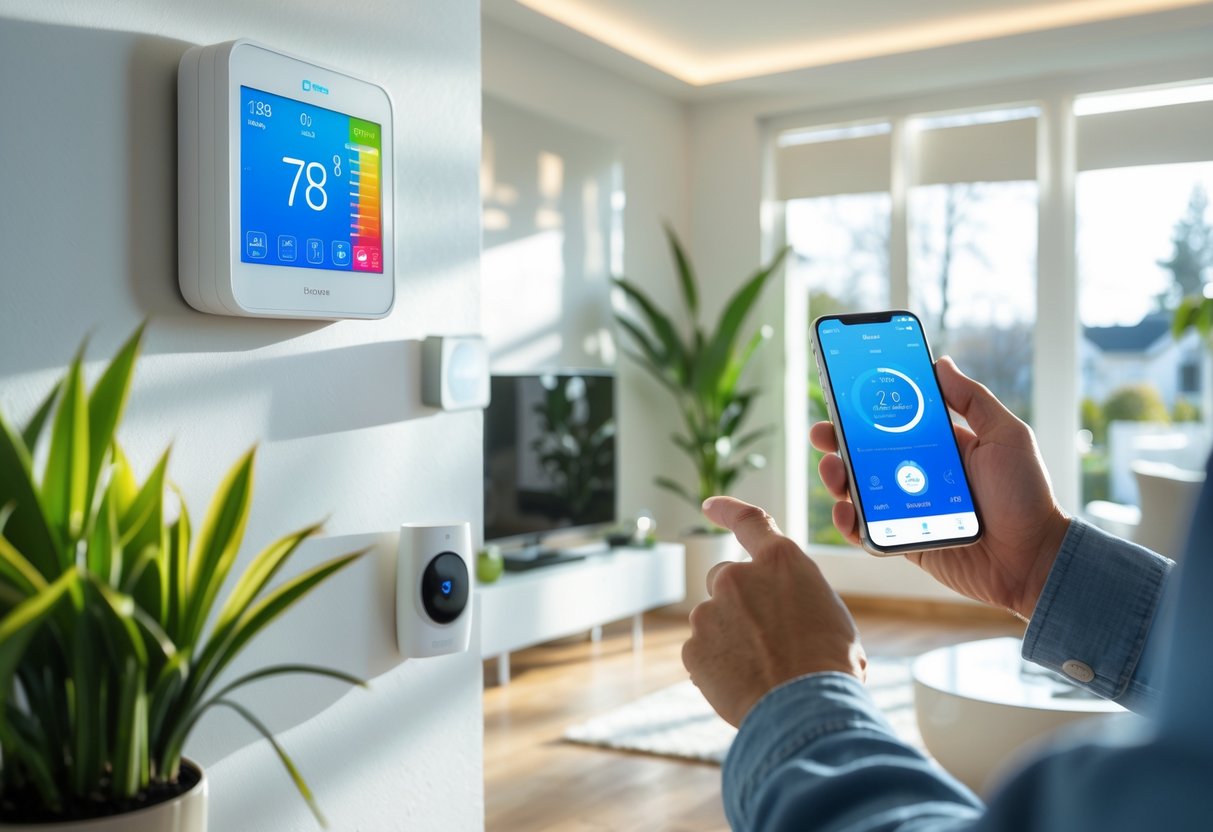
Smart home devices can cut your energy costs by 20-30% when configured correctly. I’ll show you how to adjust thermostat schedules, automate lighting patterns, and integrate HVAC systems for maximum efficiency without sacrificing comfort.
Smart Thermostat Settings and Seasonal Adjustments
I recommend programming your smart thermostat to reduce heating or cooling when you’re away or sleeping. Set temperatures back 7-10 degrees for 8 hours daily to save up to 10% annually on energy bills.
During winter months, I keep daytime temperatures at 68-70°F and drop to 62-65°F at night. In summer, I program 78°F when home and 85°F when away. These seasonal adjustments prevent your system from working harder than necessary.
Most smart thermostats optimize heating and cooling by learning your schedule. I check these learned patterns monthly to ensure they match my actual routine. If your schedule changes, update the programming immediately rather than using manual overrides.
I also enable geofencing features that detect when I leave home. This automatically switches to energy-saving mode without requiring manual adjustments. The system returns to comfort settings 30 minutes before I arrive.
Smart Lighting Schedules for Energy Savings
I create automated schedules that turn lights off in unoccupied rooms. Motion sensors prevent lights from running unnecessarily, which reduces consumption by 30-50% compared to manual switching.
I program outdoor lighting to activate only during specific hours rather than running dusk-to-dawn. Setting lights to turn off at 11 PM or midnight saves energy while maintaining security during active evening hours.
Smart lighting systems let me dim bulbs to appropriate levels. I use 100% brightness only when needed for tasks. I set ambient lighting at 40-60% for regular activities, which extends bulb life and cuts power usage.
I group lights by room or zone in my smart home app. This allows me to control multiple fixtures simultaneously and ensures I don’t leave lights on in rarely-used spaces like guest rooms or storage areas.
Improving HVAC System Integration
I connect my HVAC system to smart sensors that monitor temperature and occupancy in different rooms. This data helps distribute heating and cooling only where needed rather than maintaining uniform temperatures throughout the house.
I replace HVAC filters every 1-3 months depending on usage and air quality. Clogged filters force systems to work harder, increasing energy consumption by 5-15%. I set monthly reminders in my smart home app to check filter condition.
I integrate smart vents that open or close based on room occupancy and temperature readings. This targeted approach prevents energy waste in unused spaces while maintaining comfort in occupied areas.
My smart home hub coordinates between the thermostat, vents, and sensors to optimize airflow patterns. I review system performance data weekly to identify rooms that consistently run too hot or cold, then adjust vent positions or sensor placement accordingly.
Seasonal and Specialized Maintenance Considerations
Winter brings unique challenges that require specific preparation and ongoing attention. Smart home technology helps monitor these seasonal risks, but physical maintenance remains essential for protecting your property.
Winterizing Your Smart Home
I recommend starting your winterization process in late fall, typically by mid-November. Smart thermostats need programming adjustments to prevent frozen pipes while maintaining energy efficiency.
I set my smart sensors to monitor temperatures in vulnerable areas like basements, attics, and exterior walls. These devices alert me when temperatures drop below 55°F in spaces with plumbing.
Key winterization tasks include:
- Installing smart water leak detectors near water heaters and under sinks
- Programming outdoor smart plugs to control heating cables on gutters
- Adjusting smart irrigation systems to winter mode
- Sealing gaps around smart doorbell and camera installations
I also drain outdoor faucets and disconnect garden hoses. Smart moisture sensors help me identify areas where cold air penetrates the home, allowing targeted weatherstripping improvements.
Preventing and Managing Ice Dams
Ice dams form when heat escapes through the roof, melting snow that refreezes at the eaves. I use attic temperature sensors to maintain consistent roof temperatures and prevent this costly problem.
Proper attic insulation and ventilation are my first defense against ice dams. I keep my attic temperature within 10°F of outdoor temperatures during winter months.
Smart cameras positioned to view rooflines let me spot ice dam formation early. When I notice buildup, I act quickly rather than waiting for interior damage.
I never chip at ice dams with tools, as this damages roofing materials. Instead, I use calcium chloride in fabric tubes laid across the ice. For severe cases, I contact professionals who use steam removal methods.
Maintaining Chimneys and Fireplaces
I schedule annual inspections with a certified chimney cleaner before burning season begins. Creosote buildup creates serious fire hazards that smart home systems cannot prevent.
Smart smoke and carbon monoxide detectors provide critical safety monitoring, but they don’t replace proper maintenance. I test these devices monthly and replace batteries twice yearly.
My chimney maintenance schedule:
- Annual professional inspection and cleaning
- Monthly visual checks for debris or animal nests
- Testing damper operation before each use
- Clearing ash after fires cool completely
I install smart air quality monitors near fireplaces to detect elevated carbon monoxide or particulate levels. Glass doors on fireplaces improve efficiency and safety while allowing smart thermostats to regulate heating more effectively.
Frequently Asked Questions
Smart home maintenance requires specific attention to firmware updates, battery checks, and network performance monitoring. Device longevity depends on monthly inspections of sensors, cameras, and security features while addressing connectivity problems through systematic troubleshooting protocols.
What are the essential items to include in a smart home technology maintenance schedule?
I recommend including firmware updates for all devices and hubs in your monthly maintenance schedule. These updates patch security vulnerabilities and fix bugs that can compromise your system.
Battery level checks for smart locks, sensors, and motion detectors should be on your list. I check these monthly because depleted batteries cause system failures and leave gaps in your home’s automation coverage.
WiFi network performance testing is critical for maintaining device connectivity. I use network analyzer apps to measure signal strength and identify dead zones that affect device responsiveness.
Security password reviews and authentication settings need regular attention. I rotate passwords quarterly and verify that two-factor authentication remains enabled on all compatible devices.
Physical cleaning of camera lenses and sensor optics prevents detection accuracy from dropping. Dust and debris accumulation can reduce performance by up to 40 percent within weeks of installation.
How frequently should smart home devices be serviced to ensure optimal performance?
I perform monthly inspections on all smart home components to catch issues before they become failures. This includes testing sensors, checking battery levels, and cleaning optical surfaces on cameras and motion detectors.
Firmware updates should be installed as soon as manufacturers release them. I schedule these during low-traffic periods to minimize disruption to my household routines.
Smart lock batteries typically need replacement every 12 to 18 months depending on usage patterns. I monitor the battery indicators within my smart home app rather than waiting for low battery warnings.
Router firmware requires immediate updates when patches become available since this device controls network security. I prioritize security cameras, door locks, and network routers because they represent the most vulnerable entry points.
Professional inspections can be scheduled annually for complex systems with multiple integrated components. However, monthly self-maintenance prevents most issues from requiring professional intervention.
Can you list common troubleshooting steps for smart home connectivity issues?
I start by checking WiFi signal strength in the area where the disconnected device is located. Weak signals cause intermittent connections that disrupt automation routines and remote access.
Rebooting the affected device resolves many temporary connectivity problems. I power down the device completely, wait 30 seconds, then restart it to clear any stuck processes or memory issues.
Router channel congestion can interfere with device communication. I access my router’s administrative dashboard to switch to less congested frequencies using the built-in spectrum analysis tools.
Verifying that the device firmware is current eliminates compatibility issues with my network. Outdated firmware often fails to maintain stable connections with updated routers or hubs.
I check for physical obstructions between devices and the router. Metal objects, thick walls, and appliances like microwaves can block or weaken WiFi signals significantly.
Resetting the device to factory settings and reconfiguring it from scratch resolves persistent connection failures. I only use this step after exhausting other troubleshooting options since it requires complete setup again.
What professional maintenance services are recommended for advanced smart home systems?
Complex multi-protocol systems integrating Zigbee, Z-Wave, and WiFi devices benefit from annual professional audits. These technicians identify configuration conflicts and optimize device communication across different protocols.
Network infrastructure assessments help optimize mesh networks and access point placement. Professionals use advanced testing equipment to map signal coverage and recommend strategic router or extender positioning.
Security audits from certified professionals reveal vulnerabilities in your system architecture. They test for unauthorized access points, verify encryption standards, and assess authentication protocols across all devices.
Integration specialists can resolve compatibility issues between devices from different manufacturers. I consider professional help when adding new ecosystem components that don’t communicate properly with existing equipment.
System documentation services create detailed network maps and device inventories. This documentation proves valuable for troubleshooting and helps new technicians understand your setup quickly.
What best practices should homeowners follow to maintain smart home security features?
I replace all default passwords immediately after installing new devices with unique complex credentials. Default passwords are publicly available in credential databases that attackers use to breach networks.
Enabling two-factor authentication on every compatible device and application blocks approximately 99.9 percent of automated credential attacks. I use app-based authenticators rather than SMS verification because they resist SIM-swapping exploits.
Regular monitoring of device activity logs helps me identify unusual behavior patterns. I review these logs monthly to catch unauthorized access attempts or compromised devices.
I disable WPS functionality on my router since this feature creates security vulnerabilities. While WPS simplifies device connection, it also provides an easy entry point for attackers.
Network segmentation separates smart home devices from computers containing sensitive personal data. I create a dedicated network for IoT devices to limit potential damage if one device becomes compromised.
Quarterly password rotation for administrative accounts maintains security on critical infrastructure. I prioritize routers, NAS systems, and security cameras since these control essential functions.
Which smart home components require the most attention to prevent system failures?
Smart locks demand the most vigilant monitoring because battery failure creates complete lockout scenarios. I test all lock functions monthly and replace batteries before they reach critical levels.
Security cameras require regular lens cleaning and field of view verification. Dust accumulation degrades image resolution while shifted mounting angles create blind spots in surveillance coverage.
Motion sensors and door contact sensors need monthly battery checks and range accuracy testing. I mark actual detection boundaries with tape and compare them against manufacturer specifications.
The smart home hub controls all connected devices and requires immediate firmware updates. System-wide failures often trace back to hub malfunctions or outdated software.
WiFi routers and access points need continuous monitoring since they provide the communication backbone. I document baseline speeds monthly and compare results against my ISP’s promised throughput.
Smart thermostats require calibration checks against precision thermometers to maintain accurate temperature control. Filter status monitoring prevents HVAC efficiency problems that increase energy costs.